
AION 2 Sliders Guide: Recording Values, Colours and Options
Updated 4 min read
Short answer
Record what the game displays: numbers for numeric controls, six-digit HEX for colours and exact option names or numbers. Our current sheet has 88 draft keys and still needs a complete client audit.
Record the displayed value
- Numeric controls: preserve the displayed number and its sign. Do not estimate a value from the thumb position.
- Colours: record all six HEX digits; retain a screenshot of the colour panel.
- Options: preserve the game’s number or name. A label invented for a screenshot is not an official option ID.
- Two-dimensional controls: record X and Y separately only if the game reveals the numbers. Otherwise retain the grid screenshot and mark the numeric values unconfirmed.
What is still missing
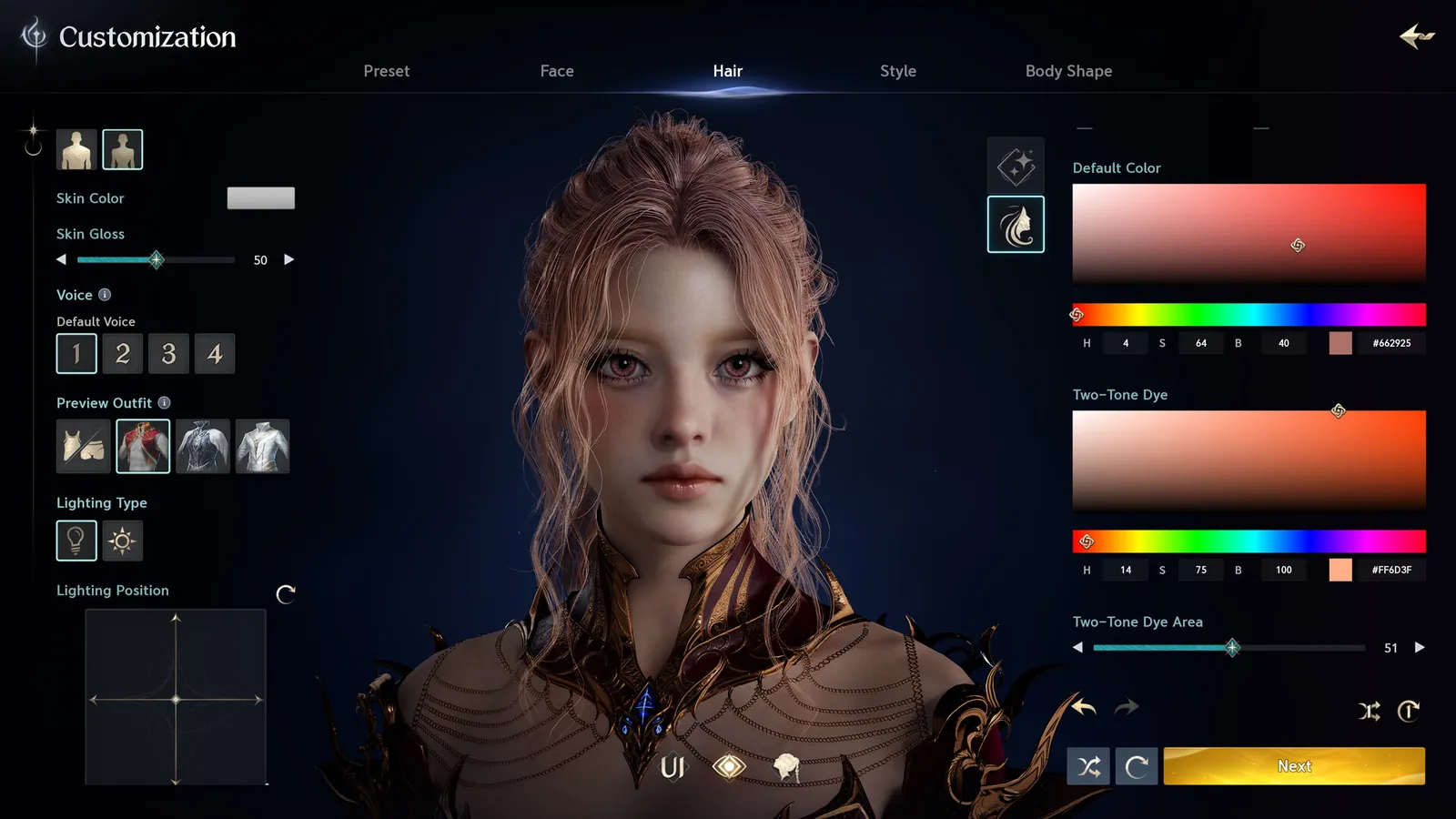
The official reference contains Two-Tone Dye Area and Skin Gloss controls. These need comparison with the website dictionary. We have not confirmed all ranges, defaults, axis directions or numbering. A missing control must remain in supplementary notes until its key is defined.
The website’s “with sliders” indicator means values were provided; it does not prove the face was reproduced or that the entire editor was captured.
Make your backup reproducible
- Record the starting preset and character context first.
- Use one revision throughout the screenshots and sheet. If you change the eyes or mouth, update the reference package together.
- Keep the original screenshots with your text backup so a future reader can check the labels and values.
Enter only values you actually have.
Record your values